


What Is SSML? Speech Synthesis Markup Language Explained
What is SSML? The markup that controls pauses, pitch, speed and pronunciation in text to speech, with a working example, every tag and who supports it.
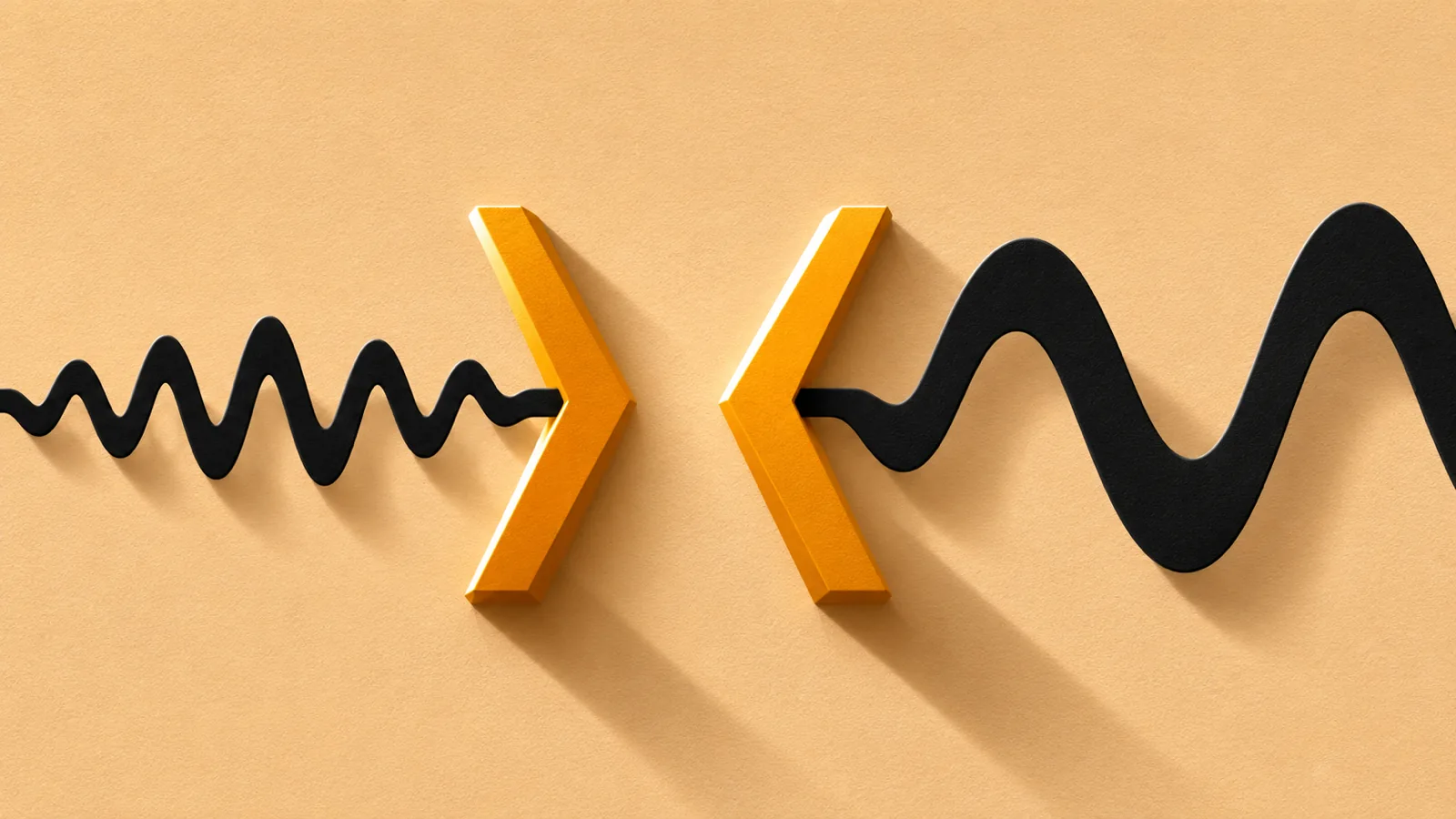
SSML (Speech Synthesis Markup Language) is a W3C standard, written in XML, that tells a text-to-speech voice how to say your text. Its tags add pauses, change speed, pitch and volume, stress words, and fix how names, dates and abbreviations are pronounced. Amazon Polly, Google Cloud, Microsoft Azure and Alexa all accept it.
SSML stands for Speech Synthesis Markup Language. Version 1.0 became a W3C Recommendation in 2004, and version 1.1, the current one, followed in 2010.
HTML tells a browser how text should look; SSML tells a voice how text should sound: pauses, speed, pitch, volume, emphasis and pronunciation.
Amazon, Google and Microsoft all accept SSML, but support differs by voice engine. Amazon Polly's neural voices, for example, have no emphasis tag, and each service strips, ignores or rejects unsupported tags in its own way.
The newest AI voices are steered with written instructions and bracket tags such as [pause] or [whispering] instead, so SSML that works on one engine may need rewriting for another.
You only need SSML if you build voice apps or produce audio. To listen to documents, a good reader app handles pronunciation and pacing for you.
What is SSML? SSML, short for Speech Synthesis Markup Language, is a set of tags you put around text to tell a text-to-speech voice how to say it: where to pause, how fast and how high to speak, which words to stress, and exactly how to pronounce a name, date or abbreviation. It's an official W3C standard, and Amazon Polly, Google Cloud, Microsoft Azure and Alexa all accept it.
Think of it as HTML for the ear. Below you'll find a working example, every common tag, which services support what as of November 2026, and when you can skip SSML entirely.
What is SSML, exactly?
SSML is an XML-based language published by the World Wide Web Consortium (W3C), the group behind web standards such as HTML. Its Voice Browser Working Group wrote it so authors could control pronunciation, volume, pitch and rate the same way on any speech engine.
- SSML 1.0 became a W3C Recommendation on September 7, 2004.
- SSML 1.1 followed on September 7, 2010, and is still the current version. It improved support for more languages and added
<lang>(text in another language),<lookup>(apply a pronunciation dictionary) and<token>/<w>(mark word boundaries). - Every SSML document starts with a
<speak>root element. The official namespace ishttp://www.w3.org/2001/10/synthesis. - VoiceXML 2.0, the W3C language for automated phone systems, builds on SSML for its spoken prompts.
You don't install SSML: you send it to a voice service instead of plain text, and get audio back.
What is SSML used for?
SSML is for anyone who needs synthetic speech to sound right every time:
- Phone menus and voice bots: exact pauses and spelled-out codes.
- Voice assistants: Alexa skills return SSML for pauses, whispering and excited or disappointed tones.
- Narration: e-learning, audio articles and audiobooks where names and jargon must be right.
- Apps that speak: navigation and accessibility features that read dates, units and currencies.
- Syncing audio with visuals: markers that tell an app when the voice reaches a given word.
A simple SSML example
Here's a short phone-style message in SSML:
<speak>
Your order from <sub alias="A T and T">AT&T</sub> ships on
<say-as interpret-as="date" format="mdy">12/01/2026</say-as>.
<break time="600ms"/>
Your code is <say-as interpret-as="characters">SSML</say-as>.
<prosody rate="slow">Please have it ready when you call.</prosody>
<emphasis level="strong">Thank you!</emphasis>
</speak>
What each part does:
<speak>wraps the whole document and tells the engine this is SSML, not plain text.<sub>swaps in a spoken form ("A T and T") while keeping the written text. Note&: a bare&would break the XML.<say-as interpret-as="date" format="mdy">reads 12/01/2026 as December 1, not as a fraction or "twelve slash zero one".<break time="600ms"/>adds a 0.6-second pause.<say-as interpret-as="characters">spells "SSML" letter by letter instead of guessing a word.<prosody rate="slow">slows down one sentence.<emphasis level="strong">asks for extra stress on the last line.
Sent as plain text, the same message would depend entirely on the engine's guesses about the date, the ampersand and the code.
How does SSML work?
A text-to-speech engine works in stages: it normalizes the text (expanding numbers and abbreviations), works out pronunciation, plans rhythm and pitch, then generates audio. Our guide to how text to speech works walks through each stage. SSML gives the engine instructions at each one:
| Engine stage | What can go wrong | SSML that fixes it |
|---|---|---|
| Text normalization | "1/2" read as a date, "Dr." read as "Drive" | <say-as>, <sub> |
| Pronunciation | Names, brands and jargon guessed from spelling | <phoneme>, <lexicon> |
| Prosody (rhythm and melody) | Rushed lists, flat headlines, wrong word stressed | <break>, <prosody>, <emphasis> |
| Structure | Sentences run together | <p>, <s> |
| Voice and language | A foreign phrase read with the wrong accent | <voice>, <lang> |
Two things to know before you write any:
- Values are requests, not commands. Microsoft says its service treats prosody values as "a suggestion" and limits or substitutes values it can't produce.
- Unsupported tags fail differently everywhere. Amazon Polly returns an error on its standard, neural and long-form voices. Alexa strips them. Browsers that don't support SSML strip the tags too, according to MDN. Google's Chirp 3: HD voices ignore tags outside their supported list.
What are the most common SSML tags?
These are the core tags from the W3C specification. <speak>, <break>, <say-as>, <sub>, <p> and <s> work almost everywhere; support for the rest depends on the service and the voice.
| Tag | What it does | Example |
|---|---|---|
<speak> |
Root element; required | <speak>Hello</speak> |
<break> |
Adds a pause | <break time="1s"/> |
<prosody> |
Changes speed, pitch or volume | <prosody rate="slow"> |
<emphasis> |
Stresses words | <emphasis level="strong"> |
<say-as> |
Reads numbers, dates and letters correctly | <say-as interpret-as="ordinal">3</say-as> |
<sub> |
Speaks a substitute | <sub alias="Doctor">Dr.</sub> |
<phoneme> |
Sets an exact pronunciation | <phoneme alphabet="ipa" ph="..."> |
<p>, <s> |
Mark paragraphs and sentences | <p><s>First.</s></p> |
<voice> |
Switches voice mid-text | <voice name="..."> |
<lang> |
Marks text in another language | <lang xml:lang="fr-FR"> |
<audio> |
Plays a recorded sound | <audio src="https://..."> |
<mark> |
Places a bookmark the app is told about | <mark name="step2"/> |
<lexicon> |
Loads a pronunciation dictionary | <lexicon uri="..."> |
Pauses with <break>
Set a pause by length (time="250ms" or time="2s") or by strength: none, x-weak, weak, medium (the default), strong or x-strong. On Amazon Polly, strong matches the pause after a sentence, x-strong the pause after a paragraph, and the longest break is 10 seconds.
Speed, pitch and volume with <prosody>
<prosody> takes three main attributes, each with keyword values from the spec:
- rate:
x-slow,slow,medium,fast,x-fast, or a percentage such as80% - pitch:
x-low,low,medium,high,x-high, a value in Hz, or a relative change - volume:
silent,x-soft,soft,medium,loud,x-loud, or a change in decibels such as+6dB
Stress with <emphasis>
Levels are strong, moderate (the default), none and reduced. Support is patchy: Amazon Polly's supported tags table lists <emphasis> as not available for its neural, long-form and generative voices.
Numbers, dates and abbreviations with <say-as> and <sub>
<say-as> tells the engine what kind of text it's looking at. The spec deliberately leaves the values open, so each service publishes its own list. Google Cloud supports, among others, cardinal, ordinal, characters, fraction, date, time, telephone, currency, unit and expletive (which bleeps the word). <sub> is simpler: it replaces what's written with what you want spoken.
Exact pronunciation with <phoneme>
When a name or term keeps coming out wrong, spell out its sounds in the International Phonetic Alphabet (IPA). Google also accepts X-SAMPA, yomigana for Japanese, and pinyin or jyutping for Chinese.
<phoneme alphabet="ipa" ph="təˈmɑːtəʊ">tomato</phoneme>
For a word that appears hundreds of times, a pronunciation dictionary loaded with <lexicon> saves you from tagging every instance. Our guide to text-to-speech pronunciation accuracy covers which words engines get wrong most often.
Bookmarks with <mark>
<mark> produces no sound. The engine reports when it reaches each mark, which apps use to sync visuals with audio. Google Cloud returns timing points only for <mark> tags, so word-by-word highlighting built on it needs a mark before every word.
Vendor extensions: SSML beyond the standard
Each big provider adds its own tags under its own namespace. They're useful, but they won't work anywhere else.
| Service | Extension | What it does |
|---|---|---|
| Microsoft Azure | <mstts:express-as> |
Speaking styles such as cheerful, sad or whispering, intensity from 0.01 to 2, and roles such as OlderAdultMale |
| Amazon Alexa | <amazon:emotion> |
excited or disappointed, at low, medium or high intensity |
| Amazon Alexa | <amazon:domain> |
Styles: conversational, long-form, music, news and fun, by locale |
| Amazon Polly | <amazon:effect name="whispered"> |
Whispering, on standard voices only |
| Google Cloud | <par>, <seq>, <media> |
Layers speech over background audio, with fades |
| Google Cloud | <google:style> (Preview) |
Styles such as calm or lively, on two en-US Neural2 voices only |
Sources: Azure voice SSML, Alexa SSML reference, Polly supported tags, Google Cloud SSML.
Which text-to-speech services support SSML?
Most do, but rarely all of it, and the newest voices support the least. Here's where things stand as of November 2026:
| Service | SSML support | Worth knowing |
|---|---|---|
| Amazon Polly | Yes, varies by engine | Neural and generative voices drop <emphasis>, whispering and auto-breaths |
| Amazon Alexa skills | Yes, 16 tags | Breaks capped at 10 seconds; unsupported tags are stripped |
| Microsoft Azure Speech | Yes, broad | Adds styles and roles; some elements are billed as characters |
| Google Cloud (Standard, WaveNet, Neural2) | Yes, broad | Adds audio layering; SSML counts toward the 5,000-byte input limit |
| Google Cloud Chirp 3: HD | Partial, in Preview | No SSML in streaming requests; [pause short] and [pause long] tags go in a separate markup field |
| ElevenLabs | Partial | <break> up to 3 seconds on supported models; Eleven v3 and v4 don't support SSML break tags |
| OpenAI | Not documented | gpt-4o-mini-tts takes written instructions; it's deprecated, with shutdown on January 6, 2027 |
| Apple (iOS 16, macOS 13 and later) | Yes, for developers | AVSpeechUtterance(ssmlRepresentation:) returns nil for invalid SSML |
| Web Speech API (browsers) | Depends on device | Tags are stripped where unsupported |
Sources: Google Chirp 3: HD, ElevenLabs best practices, OpenAI text to speech, Apple developer documentation, Microsoft SSML overview.
One Apple detail catches developers out: once an utterance uses SSML, its rate and pitchMultiplier settings no longer apply, so speed and pitch must come from <prosody>.
Is SSML still useful with AI voices?
Yes, but for fewer jobs than before. Older voices needed SSML just to sound acceptable. Neural voices learn rhythm and intonation from real recordings, so they pause at commas and lift at questions without being told.
What AI voices still can't know is what you know: how your customer's surname is said, that "SCOTUS" is spoken as a word, or that a phone menu needs a two-second gap. That's where SSML still earns its place: pronunciation, precise timing, formats like dates and phone numbers, and marks that sync audio with text.
The newest models take direction differently, though:
- OpenAI: written instructions such as "speak in a calm tone"
- ElevenLabs v3 and v4: audio tags such as
[whispering]and[laughing] - Google:
[pause]tags for Chirp 3: HD, and written style prompts for Gemini-TTS - Microsoft: bracket style markers such as
[whispering]on its newest HD voices
If you switch providers, expect to rewrite your markup rather than reuse it.
Common SSML mistakes to avoid
- Unescaped characters.
&,<,>,"and'must be escaped (&,<and so on). Otherwise the XML is invalid and the request fails. - Sending SSML as plain text. Wrap everything in
<speak>and flag the input as SSML: Amazon Polly has an SSML text type (the SSML tab in its console), and Google takes a separatessmlinput field. Otherwise your tags may be read aloud or rejected. - Too many breaks. ElevenLabs warns that many break tags in one generation can cause instability, and Amazon caps each break at 10 seconds.
- Assuming every tag works. Check your provider's supported-tags list for the exact voice engine you use, not just the service.
- Extreme prosody values. Engines clamp or substitute values they can't produce, so
rate="300%"may sound nothing like you expect. - Forgetting the bill. Microsoft bills some SSML elements as characters, and Google counts SSML characters toward its request limit.
If you'd rather not write XML by hand, Microsoft's Audio Content Creation tool in Speech Studio lets you write plain text or SSML, listen to the output and adjust it until it sounds right.
Do you need SSML to listen to documents?
No. SSML is for people building voice apps or producing audio. If you just want to hear a PDF, article or eBook, the reading app does the pronunciation and pacing work, and your best levers are a good voice and clean source text. Our text-to-speech glossary explains the other terms you'll run into.
Speechly is a text-to-speech reader for iPhone, iPad, Android, Mac and Windows that needs no markup at all. Open a PDF, Word document, EPUB, web page or photo of a printed page, choose a voice and press play.
- 25+ natural AI voices in eight languages. Preview them on the Speechly voices page and switch anytime.
- Word-by-word highlighting so you can follow along, and speed from 0.5× to 2×.
- On a computer, select text in any app and press ⌘E on Mac or Alt+R on Windows to hear it in a small floating player.
Speechly is free to download, and the free plan includes two files with premium voices, no card required. Premium costs $14.99/month or $139/year for unlimited listening on every device.
Frequently asked questions
Is SSML the same as XML?
SSML is written in XML, so it follows XML's rules: every tag must be closed, and characters such as & and < must be escaped. It's a specific vocabulary of XML tags made for speech, the way XHTML is an XML vocabulary for web pages.
Can I use SSML on my iPhone or Mac?
Not from Settings. Apple's speech framework accepts SSML through AVSpeechUtterance(ssmlRepresentation:) on iOS 16 and macOS 13 or later, so it's available to app developers rather than as a user option.
Does OpenAI's text-to-speech support SSML?
OpenAI's text-to-speech guide doesn't mention SSML. Its gpt-4o-mini-tts model takes written instructions such as "Speak in a cheerful and positive tone" instead, but OpenAI has deprecated it and its other speech-endpoint models, with shutdown set for January 6, 2027.
How long can an SSML pause be?
It depends on the service. Amazon Polly and Alexa cap a break at 10 seconds, and ElevenLabs recommends break tags for pauses of up to 3 seconds on the models that support them.
Do Alexa skills use SSML?
Yes. Alexa skills can return SSML, and Amazon supports 16 tags there, including Alexa-only ones: amazon:emotion for excited or disappointed speech and amazon:effect for whispering.
Does SSML cost extra?
The standard is free to read and use, but you pay the voice service for what it speaks. Microsoft bills some SSML elements, such as phonemes and pitch changes, as characters, and Google counts SSML characters toward its 5,000-byte request limit.
Listen with Speechly
Natural AI voices on iPhone, iPad, Android, Mac and Windows, with word highlighting and your place saved on every device. Free to download.
Prices and features of other products were checked on November 18, 2026 and can change. Speechly is not affiliated with the other companies named here.
What Is Text to Speech? How It Works
What is text to speech? How it works in 4 simple steps, why AI voices now sound human, and how to turn on the free TTS already on your phone or computer.
How Do AI Voices Work? Neural Text to Speech Explained
How do AI voices work? Neural text to speech explained in plain English: the 3 steps inside a voice, how it's trained, and why it still slips up.
How Accurate Is Text-to-Speech Pronunciation?
How accurate is text to speech pronunciation? Near-perfect on common words, shaky on names, numbers and acronyms. See independent test scores and fixes.