


What Is Text to Speech? How It Works
What is text to speech? How it works in 4 simple steps, why AI voices now sound human, and how to turn on the free TTS already on your phone or computer.
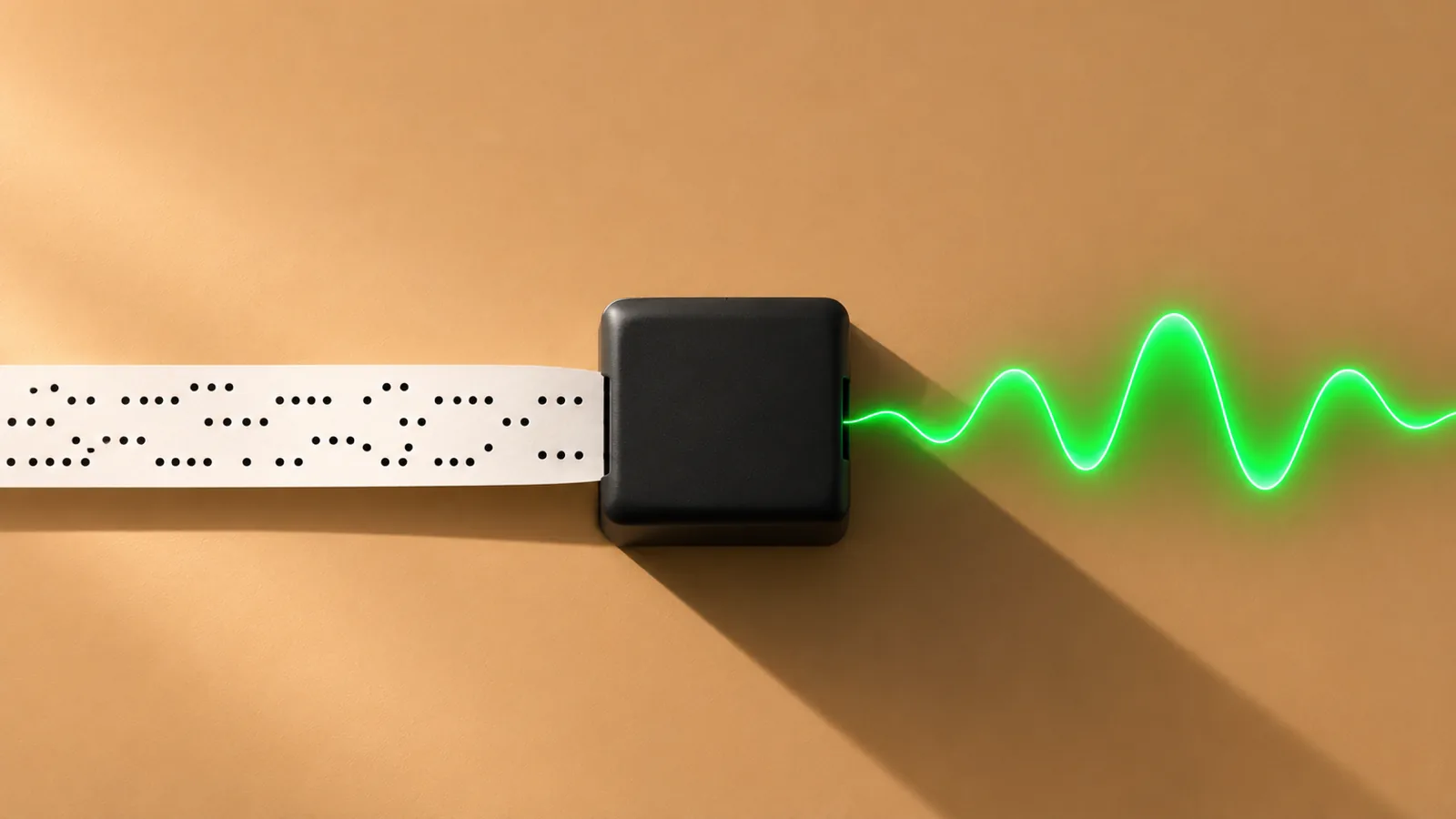
Text to speech (TTS) is technology that reads digital text aloud in a computer-generated voice. The software expands numbers and abbreviations into words, works out how each word is pronounced and how the sentence should sound, then generates the audio, today usually with neural networks trained on recordings of human speech.
Text to speech turns any digital text, from a web page to a PDF, into spoken audio on the spot, without a human narrator.
A TTS system does four jobs: normalize the text, convert words to sounds, plan the rhythm and pitch, then generate the audio. Newer AI models learn several of these inside one network.
Neural voices are close to human: in Google's 2017 Tacotron 2 study, listeners rated them 4.53 out of 5, against 4.58 for professionally recorded speech.
Free text to speech is built into iPhone, iPad, Mac, Windows, Android and Chromebook; dedicated apps add natural voices, word highlighting and more file types.
TTS still stumbles on unusual names, tables, scanned pages and PDF headers, so the source text matters as much as the voice.
What is text to speech? How it works, in short: text to speech (TTS) is software that reads digital text aloud in a synthetic voice. It cleans up the text, works out how each word sounds, plans the rhythm and pitch, then generates audio fast enough to play while you listen.
You can use it on a web page, an email, a PDF or a whole book, with no human narrator involved. Below is exactly what happens at each step, why voices stopped sounding robotic, and where TTS is already built into your devices.
What is text to speech?
Text to speech (TTS), also called speech synthesis, is software that converts written text into spoken audio. It powers the read-aloud buttons on phones and computers, screen readers for people who are blind or have low vision, voice assistants, GPS directions and reading apps.
It is easy to confuse with a few neighboring technologies:
| Technology | What it does | Example |
|---|---|---|
| Text to speech | Turns text into a spoken voice | Your phone reading an article aloud |
| Speech to text | Turns your spoken voice into text | Dictating a message |
| Screen reader | Uses TTS to read and operate the whole screen | VoiceOver, TalkBack, Narrator |
| Audiobook | A fixed recording of a narrator | A narrated novel |
Speech to text runs in the opposite direction; our guide to text to speech vs speech to text covers both. A screen reader also reads buttons, menus and layout so you can use a device without seeing it, while plain text to speech reads only the text you choose. The difference between screen readers and text to speech matters when you set up a device for someone else.
How does text to speech work? The 4 steps
A text-to-speech system has to do four jobs. The first three, often called the "front end", work out what the text says and how it should sound. The last, the "back end" or synthesizer, makes the sound. Older systems ran each job as a separate stage; newer end-to-end AI models learn several of them inside one network, but the jobs are the same.
Here is one sentence going through the whole process:
Yesterday Dr. Ortiz read 3 chapters about St. Louis for $12.
1. Text normalization: turning symbols into words
First the system rewrites everything that isn't a plain word. "Dr." becomes "Doctor", "St." becomes "Saint", "3" becomes "three" and "$12" becomes "twelve dollars", with the word order flipped.
This is harder than it looks. "Dr." means "Drive" in an address, "St." can be "Street", and "1/2" could be a date or a half. The system uses the surrounding words to choose, and when it guesses wrong, every later step inherits the mistake.
2. Pronunciation: turning words into sounds
Next, each word is converted into phonemes, the individual sounds of a language. This is called grapheme-to-phoneme conversion. Common words come from a pronunciation dictionary; unfamiliar ones are predicted from their spelling.
English makes this tricky because spelling and sound often disagree. "Read" can rhyme with "reed" or "red"; here "Yesterday" signals the past tense, so it should be "red". "Louis" is "LOO-iss" in the city's name but usually "LOO-ee" as a first name. Words spelled the same but pronounced differently are called homographs.
3. Prosody: planning the rhythm and melody
Prosody is the pitch, timing, stress and pauses that make speech sound natural and carry meaning. The system decides where to pause, which words to stress, and whether the pitch should fall (a statement) or rise (many questions).
Our sentence is a statement, so the pitch falls at the end. Prosody is where older voices failed most, and it is why they sounded monotone even when every word was correct.
4. Audio generation: making the actual sound
Finally, the synthesizer produces the waveform you hear. In most modern systems this happens in two stages:
- An acoustic model turns the sounds and prosody plan into a spectrogram, a detailed map of which frequencies are present at each moment.
- A vocoder turns that spectrogram into audio samples. Digital speech typically needs 16,000 or more samples for every second of sound, so this step does a lot of work very quickly.
Some end-to-end models merge these stages, but the job is the same: text in, natural-sounding audio out.
Why do modern text-to-speech voices sound so human?
Because they are learned from recordings of real people rather than built from rules. Computer speech synthesis dates back to the late 1950s, and the first general English text-to-speech system was built in 1968. Since then it has gone through four main approaches:
| Approach | How it makes speech | How it sounds |
|---|---|---|
| Formant synthesis (1970s–90s) | Hand-written rules generate the voice's resonances from scratch | Clear even at high speed, but plainly robotic |
| Concatenative synthesis (1990s–2010s) | Stitches together tiny clips cut from hours of recorded speech | More natural, but with audible seams and stiff rhythm |
| Statistical parametric (2000s–2010s) | A statistical model predicts voice settings and a vocoder plays them | Smooth and flexible, but muffled and buzzy |
| Neural TTS (2016 onward) | A neural network trained on recorded speech generates new audio | Expressive, often hard to tell from a person |
The turning point came in September 2016. DeepMind's WaveNet generated audio one sample at a time with a neural network. In listening tests on a 1–5 naturalness scale, its US English voice scored 4.21, against 3.86 for Google's concatenative system, 3.67 for its parametric system and 4.55 for real human speech.
In late 2017, Google's Tacotron 2 paired a neural acoustic model with a WaveNet-style vocoder and scored 4.53, against 4.58 for professionally recorded speech. Today's AI voices build on that work. For the technical details, read how AI voices work.
Does text to speech run on your device or in the cloud?
Where the voice runs affects quality, speed and privacy.
- On-device voices are stored on your phone or computer, work without a connection, and your text doesn't have to leave the device. Windows 11, for example, lets you download natural Narrator voices that, according to Microsoft's Narrator guide, run on-device without an internet connection.
- Cloud voices are generated on remote servers. They can use much larger models, so the most realistic voices are often cloud-based, but your text is sent to the service to be turned into audio.
What is text to speech used for?
Text to speech is used anywhere listening is easier, faster or more accessible than reading:
- Accessibility. Screen readers let people who are blind or have low vision use phones and computers. Read-aloud tools also support people with dyslexia, ADHD, eye strain or fatigue.
- Learning. Students listen to readings while following along on screen. A 2018 meta-analysis in the Journal of Learning Disabilities found that text-to-speech and read-aloud tools had a small-to-moderate positive effect on reading comprehension for students with reading disabilities (average effect size 0.35), and called for more research on when they help most.
- Getting through more reading. Articles, reports and books while you commute, walk or cook.
- Proofreading. Hearing your own writing catches missing words and clumsy sentences your eyes skip over.
- Language learning. Hearing new words pronounced, slowed down if you need it.
- Everyday devices. Voice assistants, car navigation, phone menus and smart speakers all use text to speech.
Where is text to speech on my phone or computer?
It is already there. Every major platform includes free text to speech. Here is where to find it, checked against each company's help pages in November 2026:
| Device | Feature | How to turn it on and use it |
|---|---|---|
| iPhone and iPad | Speak Selection, Speak Screen | Settings > Accessibility > Read & Speak (Spoken Content on iOS 18 and earlier), turn on both. Select text and tap Speak, or swipe down from the top with two fingers to hear the whole screen. |
| Mac | Speak selection | System Settings > Accessibility > Read & Speak (Spoken Content on macOS Sequoia and earlier), turn on Speak selection. Select text and press Option-Esc. |
| Windows | Narrator | Press Ctrl + Windows logo key + Enter. Add natural voices in Settings > Accessibility > Narrator > Add a natural voice. |
| Microsoft Edge | Read aloud | Settings and more (…) > More tools > Read aloud, or select text, right-click and choose Read aloud selection. |
| Android | Select to Speak | Settings > Accessibility > Select to Speak, turn on Select to Speak shortcut. Swipe up with two fingers (three with TalkBack on) or tap the Accessibility button, then tap Play. |
| Chromebook | Select-to-speak | Settings > Accessibility, under Text-to-Speech turn on Select-to-speak. Highlight text and press Search + S. |
These built-in tools are great for a paragraph or a web page. They are less comfortable when you want to listen to a long PDF or a whole book: most don't save your place, voice quality varies by device, and documents don't follow you from phone to laptop.
What does text to speech still get wrong?
Even the best voices depend on clean text. The most common problems:
- Names and jargon. Surnames, brand names, medicines and technical terms are often mispronounced because they aren't in the pronunciation dictionary.
- Ambiguous abbreviations and numbers. "St.", "1/2", "IV" and "CA" all have more than one reading.
- Layout. Tables, footnotes, columns and the headers and footers repeated on every PDF page can be read in the wrong order or over and over.
- Images of text. A scanned page or photo has no text in it until optical character recognition (OCR) extracts it, and OCR errors become speech errors.
- Emphasis. Neural voices are expressive, but they can still stress the wrong word in a long or unusual sentence.
Developers fix many of these with the W3C's Speech Synthesis Markup Language (SSML), which marks up pronunciations, pauses and emphasis. As a reader, your fixes are a better voice, a cleaner source file, and an app that handles PDFs and scans well.
How to choose a text-to-speech tool
Start from what you read most, then check:
- Voice quality. Listen to a full paragraph at the speed you will actually use, not a one-line sample.
- What it opens. Web pages, PDFs, Word files, EPUB books, photos of printed pages.
- Following along. Word-by-word highlighting helps you stay on track.
- Speed range. Most people speed up over time.
- Your devices. Whether your library and place sync between phone and computer.
- Price. What the free version covers and what a subscription costs.
Our checklist for choosing a text-to-speech app covers each point in depth.
Try text to speech with natural voices
If the built-in voices are not enough, Speechly is a text-to-speech reader for iPhone, iPad, Android, Mac and Windows. It reads PDFs, Word documents, EPUB books, web pages and photos of printed pages with natural AI voices.
- 25+ voices in eight languages, which you can preview on the Speechly voices page.
- Word-by-word highlighting, and speed from 0.5× to 2×.
- On a computer, select text in any app and press ⌘E on Mac or Alt+R on Windows to hear it in a small floating player.
- One account saves your place and keeps your library in sync on every device.
Speechly is free to download, and the free plan includes two files with premium voices, no card required. Premium costs $14.99/month or $139/year for unlimited listening on every device.
Frequently asked questions
What is another name for text to speech?
Text to speech is also called TTS, speech synthesis or read aloud. Apple groups its built-in tools under Read & Speak, Microsoft uses Read aloud and Narrator, and Google uses Select to Speak.
Is text to speech free?
Yes, basic text to speech is free and built into iPhone, iPad, Mac, Windows, Android and Chromebook. You pay for apps and services that add more natural AI voices, document import, syncing across devices or heavy use.
Does text to speech need an internet connection?
It depends on where the voice runs. Voices stored on your device work without a connection, such as the natural Narrator voices you can download in Windows 11, while many of the most realistic AI voices are generated on remote servers and need the internet.
Is text to speech the same as AI?
Modern text to speech is a form of AI: neural voices are machine-learning models trained on many hours of recorded speech. Older voices were built from hand-written rules or stitched-together recordings, which is why they sound more robotic.
When was text to speech invented?
The first computer-based speech synthesis systems appeared in the late 1950s, and the first general English text-to-speech system was built in Japan in 1968. Natural-sounding neural voices only arrived after 2016.
Can text to speech read PDFs and photos?
It can read any PDF that contains real, selectable text. Scanned PDFs and photos of pages are only images, so the app must first run optical character recognition (OCR) to turn the picture into text it can read aloud.
What is the difference between text to speech and an audiobook?
An audiobook is a fixed recording, usually read by a human narrator. Text to speech generates the voice on the spot from whatever text you give it, so it works on documents, articles and books that will never get an audiobook.
Listen with Speechly
Natural AI voices on iPhone, iPad, Android, Mac and Windows, with word highlighting and your place saved on every device. Free to download.
Prices and features of other products were checked on November 17, 2026 and can change. Speechly is not affiliated with the other companies named here.
How Do AI Voices Work? Neural Text to Speech Explained
How do AI voices work? Neural text to speech explained in plain English: the 3 steps inside a voice, how it's trained, and why it still slips up.
Text to Speech vs Speech to Text: What's the Difference?
Text to speech vs speech to text: TTS reads text aloud, STT types what you say. How each works, where to find both free on your devices, and which to use.
Best Text-to-Speech Apps (2026)
The best text-to-speech apps in 2026 for iPhone, Android, Mac and Windows, compared on voices, PDFs, free-plan limits and prices checked this month.