


Text to Speech for Lawyers: Proofread Briefs and Review Filings by Ear
Text to speech for lawyers: proofread briefs by ear, get through filings on the commute and keep client files safe. Free steps for Word, Acrobat and Mac.
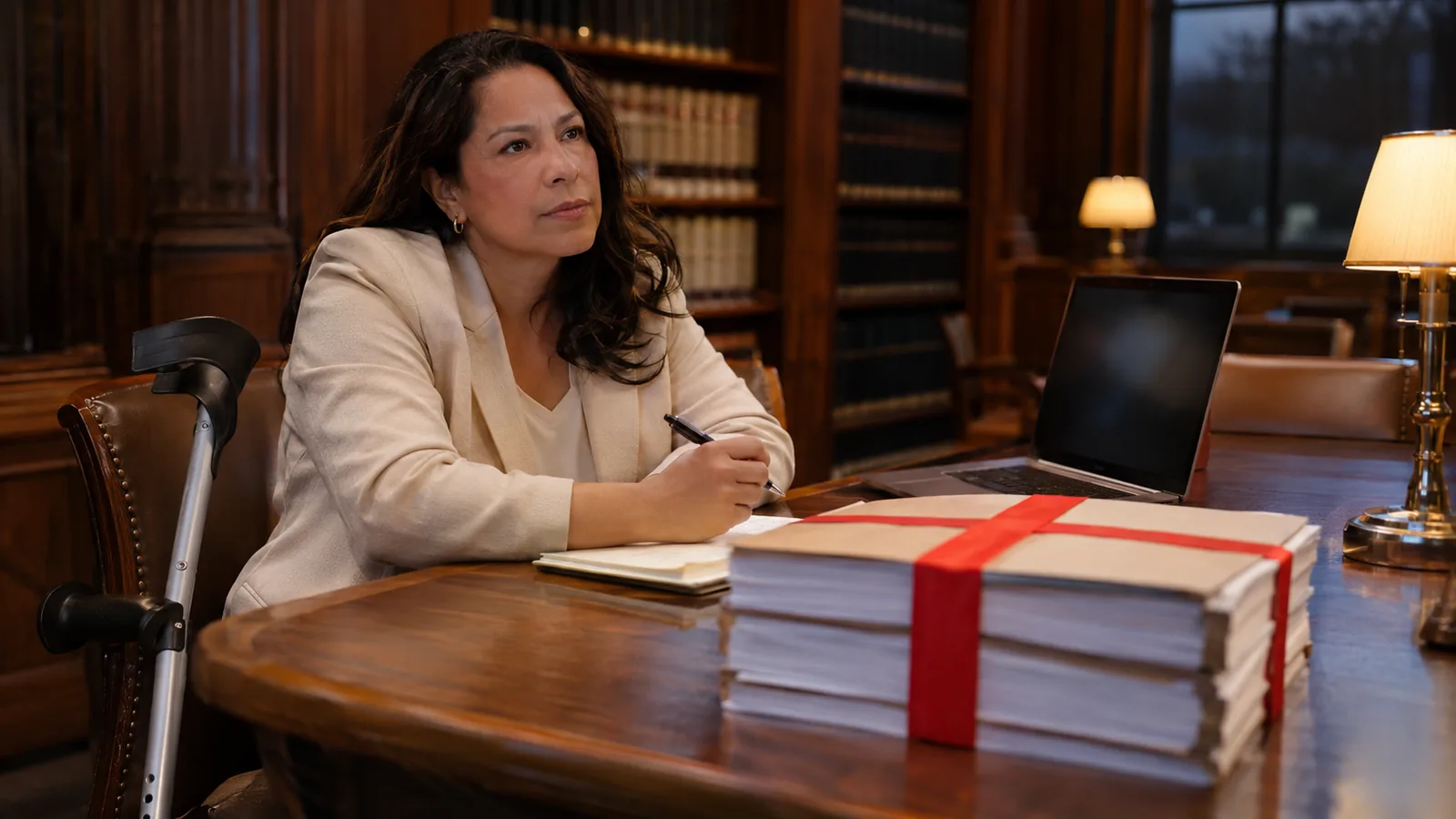
Text to speech for lawyers does two jobs well: it reads your brief or contract back before it goes out, so dropped words and tangled sentences stand out, and it turns long filings, opinions and transcripts into audio for the commute. Word, Acrobat, Edge, Macs and phones do it free. Check confidentiality rules before uploading client files.
The highest-value use is a listening pass on your own brief, motion or contract after the last edit: a voice reads only what's on the page, so a missing "not" or a doubled word is hard to miss.
Free tools cover the basics: Ctrl+Alt+Space in Word on Windows, Shift+Ctrl+Y in Acrobat, Ctrl+Shift+U in Edge and Option-Esc on a Mac once Speak selection is on.
Listening won't check citations, defined terms, pin cites or cross-references. Do those by eye, and never quote or cite from what you heard.
Under ABA Model Rule 1.6(c) you must make reasonable efforts to protect client information, so check firm policy, protective orders and the app's privacy policy before uploading anything.
Text to speech reads documents to you. Dictation software like Dragon Legal does the opposite, turning your speech into text.
Text to speech for lawyers is the cheapest proofreader you'll ever hire. A computer voice reads your brief, motion or contract exactly as written, so the missing "not", the doubled "the" and the sentence you half-rewrote at midnight surface before opposing counsel or the court finds them. The same tools turn a 60-page opinion or a stack of filings into audio you can get through on the train.
You probably already have what you need: Word, Acrobat Reader, Edge, every Mac, iPhone and Android phone can read text aloud. If you want natural voices and one reader on your laptop and phone, Speechly does that on Mac, Windows, iPhone, iPad and Android.
What can text to speech do for lawyers?
Two jobs: checking what you wrote and getting through what other people wrote.
| Task | What listening helps with | Free tool to start with |
|---|---|---|
| Briefs, motions, memos | Dropped and doubled words, sentences too long to follow | Word's Read Aloud |
| Contracts and redlines | A clean read of the final language before signing | Word's Read Aloud on a clean copy |
| Opposing counsel's filings | A first read away from the desk | Acrobat's Read Out Loud |
| Opinions and case law | Clearing a research backlog on the commute | Edge's Read Aloud, Speak Screen on iPhone |
| Deposition transcripts | A first pass to find the pages that matter | Acrobat's Read Out Loud |
| Client emails and letters | Tone: whether it sounds the way you meant | Speak selection on a Mac |
| CLE materials and bar journals | Keeping up while waiting at the courthouse or walking | Speak Screen on iPhone, Select to Speak on Android |
It's also an accessibility tool. If dyslexia, low vision or a long day of screen reading makes dense text slow going, hearing it while you follow along can make a 60-page filing manageable.
Reading your work aloud is long-standing legal-writing advice. In an ABA Journal column republished by DiCello Levitt, Alex Barnett argues that hearing your prose shows whether it flows, runs long or persuades. Text to speech does the reading for you, and unlike you, it doesn't know what you meant to write.
How to proofread a brief with text to speech
A listening pass fits in a commute. A double-spaced page runs a little under two minutes at normal speed, so a 25-page brief takes about 45 minutes. Do it after your final substantive edit and before the citation check.
- Work from the final draft. Accept tracked changes in a copy first (in Word: Review > Accept > Accept All Changes), so you hear only the language that will be filed.
- Start at the top and turn on your read-aloud tool (shortcuts below).
- Keep it at 1× or a little slower. You're listening for single words, not skimming.
- Follow the text on screen, with word highlighting if your tool has it.
- Stop whenever the voice stumbles. A sentence that sounds wrong usually is: a subject and verb that stopped agreeing after you cut a clause, a "shall" that became "shall shall", a parenthetical with no end.
- Listen for length. If you lose the thread of a sentence before the voice reaches the period, so will the judge.
- Finish with an eye pass for everything listening can't catch.
What listening catches, and what it misses
| Listening catches | Check by eye instead |
|---|---|
| Missing, doubled and leftover words | Citation form and pin cites |
| Sentences that run out of breath | Defined terms and their capitalization |
| Wrong word that sounds wrong ("statue" for "statute") | Homophones ("principal"/"principle", "its"/"it's") |
| A missing "not" that flips the meaning | Section and exhibit cross-references |
| Repetitive phrasing and filler | Numbers, dates and dollar amounts |
| Paragraphs that say the same thing twice | Formatting, page limits and local rules |
Our guide to proofreading by listening covers the routine in more depth.
Free text to speech for lawyers: the tools you already have
The best free option is the one built into the program the document is already in. We checked each against the vendor's documentation on November 18, 2026.
| Where | How to start it | Best for |
|---|---|---|
| Word for Windows | Review > Read Aloud, or Ctrl+Alt+Space | Your own briefs and contracts |
| Word for Mac | Review > Read Aloud, or Ctrl+Option+Space | Your own briefs and contracts |
| Word for the web | View > Document Views > Immersive Reader | Drafts in SharePoint or OneDrive |
| Acrobat and Acrobat Reader | Shift+Ctrl+Y (Windows), Shift+Command+Y (Mac) | Filings, opinions, transcripts |
| Microsoft Edge | Ctrl+Shift+U (Windows), Command+Shift+U (Mac) | Research pages and PDFs |
| Any app on a Mac | Speak selection, then Option-Esc | Email, research, document management |
| iPhone and iPad | Speak Screen: two-finger swipe down from the top | Reading on the go |
| Android | Select to Speak: two-finger swipe up | Reading on the go |
Word on Windows and Mac
Word's Read Aloud needs Office 2019, Office 2021 or Microsoft 365, according to Microsoft's Read Aloud guide.
- Click where you want reading to start.
- Choose Review > Read Aloud, or press Ctrl+Alt+Space (Windows) or Ctrl+Option+Space (Mac).
- Press Ctrl+Space (Windows) or Option+Space (Mac) to pause and resume.
- Click the gear icon to change Reading speed and pick a voice under Voice Selection.
On Windows, Ctrl+Right Arrow jumps to the next paragraph and Alt+Left Arrow or Alt+Right Arrow slows down or speeds up. On a Mac, Option+Down Arrow and Option+Up Arrow move between paragraphs. You can fix a sentence and keep going without touching the mouse.
Acrobat and Acrobat Reader
In the free Acrobat Reader or in Acrobat:
- Choose View > Read Out Loud > Activate Read Out Loud (in the newer Windows layout, View is under the Menu button at the top left), or press Shift+Ctrl+Y (Shift+Command+Y on a Mac).
- Press Shift+Ctrl+V to read the current page, or Shift+Ctrl+B to read from here to the end of the document. On a Mac, use Shift+Command with the same letters.
- Press Shift+Ctrl+C to pause and Shift+Ctrl+E to stop.
The full list is in Adobe's keyboard shortcuts. If Acrobat reads nothing, or reads in a jumbled order, the PDF is usually a scan with no text layer or a file without proper structure.
Edge for research
Open an opinion, a statute page or a PDF in Microsoft Edge and press Ctrl+Shift+U on Windows or Command+Shift+U on a Mac to start or stop Read Aloud, per Microsoft's Edge shortcut list.
Any app on a Mac
- Open System Settings > Accessibility > Read & Speak and turn on Speak selection.
- Click the Info button next to it and set Highlight content to words, sentences or both.
- Select text anywhere and press Option-Esc. Press it again to stop.
That works in your email, your document management system and research tools in the browser. Apple's steps are in its Speak selection guide. For email specifically, see how to make Outlook read emails aloud.
iPhone, iPad and Android
On iPhone and iPad, go to Settings > Accessibility > Read & Speak, turn on Speak Screen, then swipe down with two fingers from the top of the screen, per Apple's guide.
On Android, go to Settings > Accessibility > Select to Speak and turn on the Select to Speak shortcut. Start it with a two-finger swipe up (three fingers with TalkBack on) or the Accessibility button, per Google's help page.
Can text to speech read citations, footnotes and scanned PDFs?
Yes, but not cleanly. Legal documents are some of the hardest text a voice can read, because so much of the meaning sits in symbols, abbreviations and page furniture. Use the audio to find where to look, not as the record.
- Citations. Voices differ on "§", "¶", "U.S.C.", "F.4th" and "Id." Some say "section", some spell letters out, some skip the symbol. A string cite can turn into a run of numbers.
- Footnotes. Footnote text is usually read when the voice reaches the bottom of the page, which can land in the middle of a sentence that runs onto the next page.
- Line numbers and running heads. Numbered pleading paper and deposition transcripts can put a line number in front of every line, and captions or headers can repeat on every page.
- Scanned exhibits and older filings. Many are images of text. Run OCR first; our guide to listening to a scanned PDF has free ways to do it.
- Names and Latin. Party names, place names and phrases like certiorari or res judicata will often be mispronounced. That's fine for listening, not for quoting.
The rule that follows from all this: note the page and paragraph, then quote and cite from the document itself. For contracts, leases and settlement agreements, our guide to listening to legal documents and contracts covers the formatting fixes in detail.
Is text to speech safe for confidential client documents?
It depends on the tool and on your obligations, and you have to check both. Under ABA Model Rule 1.6(c), a lawyer must make reasonable efforts to prevent the inadvertent or unauthorized disclosure of, or unauthorized access to, information relating to a client's representation. The rule's comments weigh factors such as how sensitive the information is, how likely disclosure is without more safeguards, and what those safeguards would cost or how hard they'd be to use. Comment 8 to Model Rule 1.1 adds that staying competent means keeping up with the benefits and risks of relevant technology. Your state's version of the rules is the one that binds you.
Before you put a client document into any app, check:
- Your firm's policy. Many firms keep an approved-software list and limit where client files can go.
- Protective orders and NDAs. Confidential or attorneys'-eyes-only material may limit who and what can access it.
- The app's privacy policy. It should say how uploaded content is handled. If it doesn't, don't upload.
- Sensitivity. A public opinion or your own CLE notes carry no client risk. Sealed filings and privileged memos deserve the most caution.
Read-aloud inside software your firm already approved, like Word or Acrobat, adds no new vendor, which is often the simplest route for the most sensitive files. Our checklist on whether text to speech is private covers what to look for in any app.
Text to speech vs. legal dictation software
Many results for this search are dictation products. They do the opposite job.
| Text to speech | Dictation (speech to text) | |
|---|---|---|
| What it does | Reads written text aloud to you | Types what you say |
| Typical legal use | Proofreading, reviewing filings, research | Drafting letters, memos, notes |
| Examples | Word's Read Aloud, Acrobat's Read Out Loud | Dragon Legal, the dictation built into your phone |
The two work well together: dictate the first draft, then listen to it before it goes out.
How lawyers can use Speechly
Built-in tools each work in one program, with their own voices and controls. Speechly is one reader on Mac, Windows, iPhone, iPad and Android, with 25+ natural AI voices and word-by-word highlighting.
- Proofread in any app on a Mac. Select the brief in Word, the clause in your document system or the email in Outlook and press ⌘E. A small floating, always-on-top mini player reads it aloud while your draft stays open for edits.
- Proofread in any app on Windows. Select the text and press Alt+R. A floating player reads it, and recent readings are saved.
- Review filings and opinions. Open the PDF, Word document or EPUB in Speechly's PDF reader. On iPhone and iPad it can skip repeating headers and footers, so a caption or running head isn't read on every page.
- Listen to paper. Photograph a page of a printed filing, a letter or a handout and listen to it.
- Use the commute. Listen with your phone locked. Speechly saves your place, so you can start a transcript on your Mac and pick it up on your phone when you sign in with the same account.
You can jump to any sentence and restart there after a fix, set the speed from 0.5× to 2×, and see how long each document will take to listen to. Content is processed securely and is not shared; check it against your firm's policy like any other app.
Speechly has no browser extension and no offline listening. The free plan includes two text-to-speech files with premium voices, no card required. Premium is $14.99/month or $139/year for unlimited listening on every device.
The bottom line
The most useful thing text to speech does for a lawyer is read your brief back to you before anyone else reads it. Start with Read Aloud in Word or Read Out Loud in Acrobat, listen at 1× after your last edit, and check citations, defined terms and numbers by eye. When you want natural voices and your documents on every device, download Speechly free.
Frequently asked questions
Do lawyers use text to speech?
Yes, mostly to proofread their own drafts and to get through long documents away from the desk. Reading a brief aloud is standard legal-writing advice, and a computer voice does the reading for you without skipping over what you meant to write.
Can text to speech read a scanned exhibit or court filing?
Only if the PDF has a text layer. Run OCR on the scan first, or photograph the printed pages in an app that reads photos of text.
Is it ethical to put client documents into a text-to-speech app?
It can be, if you've made reasonable efforts to protect the information, as ABA Model Rule 1.6(c) requires. Check your firm's approved-software list, any protective order, and the app's privacy policy, and follow your state's version of the rules.
Can text to speech read Westlaw or Lexis research?
Yes, if you can select the text or open the document in a reader. Use Edge's Read Aloud on the web page, Speak selection on a Mac, or download the opinion as a PDF and open it in a PDF reader that reads aloud.
What is the difference between text to speech and legal dictation?
Text to speech turns written text into spoken audio for you to listen to. Dictation, or speech to text, turns what you say into written text, which is what tools like Dragon Legal do.
Can text to speech help a lawyer with dyslexia or low vision?
It can make long documents easier to get through. Hearing the text while word highlighting tracks it on screen lets you read by ear and eye at once. It's a reading tool, not a treatment, and it doesn't replace any accommodation you're entitled to.
How fast should I listen to legal documents?
Stay at 1× or slightly slower when you proofread, since you're listening for single words. For a first read of an opposing brief or a long opinion, many people speed up once they're used to the voice.
Listen with Speechly
Natural AI voices on iPhone, iPad, Android, Mac and Windows, with word highlighting and your place saved on every device. Free to download.
Prices and features of other products were checked on November 18, 2026 and can change. Speechly is not affiliated with the other companies named here.
How to Listen to Legal Documents and Contracts
How to listen to legal documents and contracts in Word, Acrobat, Edge or on your phone, plus the clauses to listen for and what text to speech misreads.

How to Proofread by Listening
How to proofread by listening with the read-aloud tools already in Word, Google Docs, Mac, Windows and your phone, plus what your ears will miss.
Text to Speech for Law Students
Text to speech for law students: how to hear cases before you brief them, proofread memos by ear, review outlines on the go, and handle citations.