


Best Apps for Free Public-Domain Books (2026)
The best apps for free public domain books in 2026: where to get 75,000+ classics, which apps read them aloud, and the best picks for Kindle and iPhone.
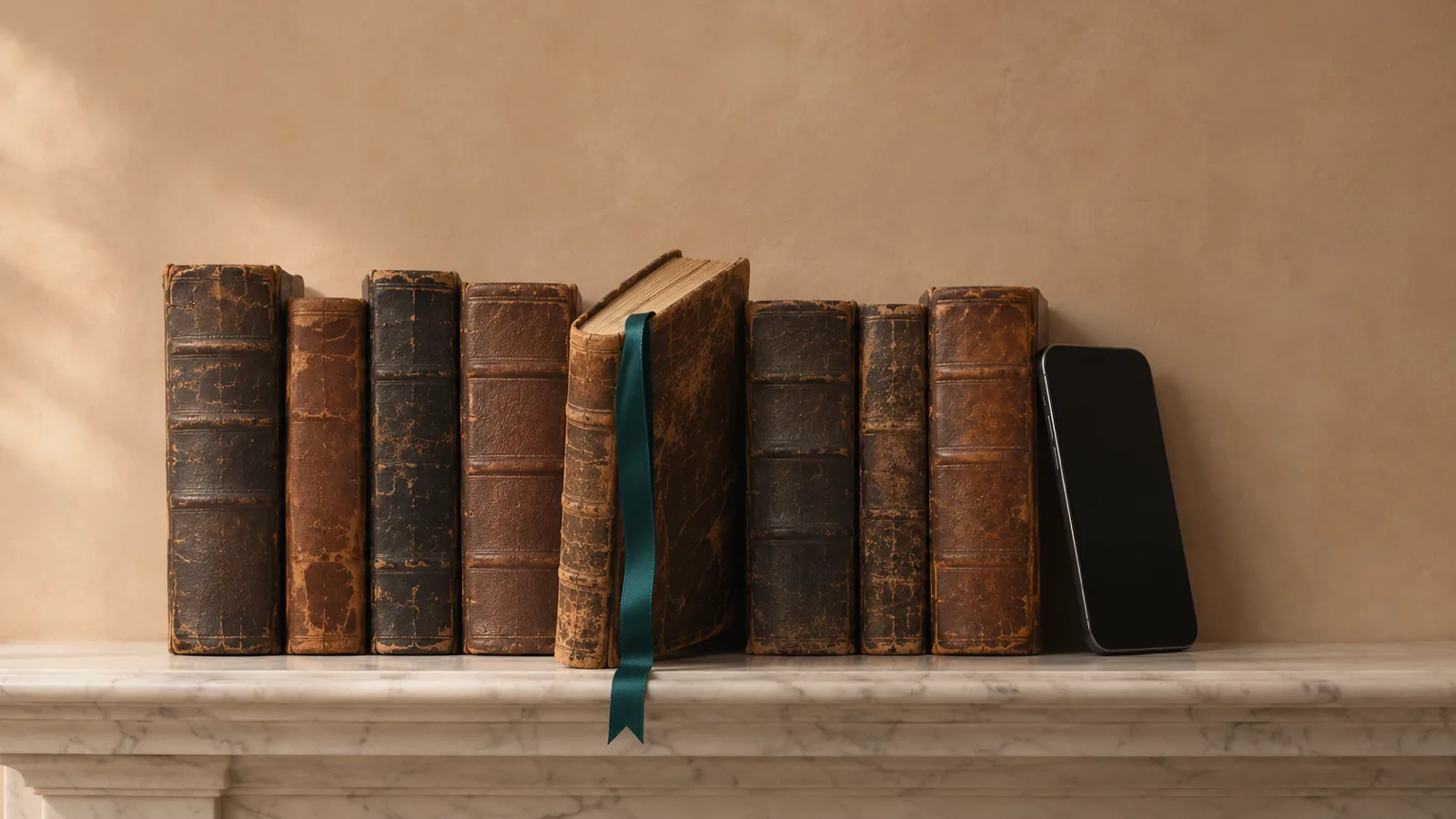
The best apps for free public domain books in 2026 are Project Gutenberg for the biggest library (75,000+ ebooks), Standard Ebooks for the best-looking editions, Serial Reader for reading classics in 20-minute daily parts, and Speechly for listening to classics in natural AI voices. Apple Books, Kindle and Google Play Books also carry free classics.
Project Gutenberg has more than 75,000 free ebooks; download the EPUB and open it in any reading app.
Standard Ebooks has far fewer books, around 1,500, but each is carefully edited and typeset, with files for Kindle and Kobo.
Serial Reader sends a classic in daily parts you can finish in 20 minutes or less, free, with a $2.99 one-time upgrade.
Public-domain ebooks have no DRM, so any read-aloud app can turn them into audio.
Store editions of classics on Kindle, Apple Books and Google Play aren't always free; check that the price says free before you tap.
The best apps for free public domain books give you tens of thousands of classics, from Pride and Prejudice to The Great Gatsby, legally and at no cost. We compared nine places to get them, from giant libraries to daily-reading apps and read-aloud tools, and checked every detail on official pages on November 18, 2026.
One thing to know first: the biggest free libraries are websites, not app-store apps. You download a book once and read it in whatever app you like, which is often the best setup anyway.
Quick picks
| Product | Best for | Platforms | Price |
|---|---|---|---|
| Project Gutenberg | Largest free library | Any browser | Free |
| Standard Ebooks | Best-looking editions | Any browser | Free |
| Speechly | Listening to classics | iPhone, iPad, Android, Mac, Windows | Free plan; $14.99/mo or $139/yr |
| Serial Reader | 20-minute daily parts | iPhone, iPad, Android | Free; $2.99 upgrade |
| Apple Books | Free classics on iPhone | iPhone, iPad, Mac | Free |
| Kindle | Kindle owners | Kindle, phones, tablets, computers | Free |
| Google Play Books | Free classics on Android | Android, iPhone, iPad, web | Free |
| LibriVox | Human-read audiobooks | Web, third-party apps | Free |
| Internet Archive | Scans of original editions | Web | Free |
What counts as a public-domain book?
A book is in the public domain when its copyright has expired or was never claimed, so anyone can copy, share and adapt it for free. In the US, that covers books published in 1930 or earlier; 1930 titles such as The Maltese Falcon and As I Lay Dying joined on January 1, 2026, and 1931 books follow on January 1, 2027.
Rules differ by country. Most of the libraries below clear books under US law, so if you live elsewhere, check your own country's terms. Our guide to what public-domain books are explains the rules in detail.
1. Project Gutenberg: best for the largest free library
Project Gutenberg is the oldest digital library, founded in 1971, and the biggest source of free proofread classics: more than 75,000 ebooks, mostly books whose US copyright has expired. No account and no fees.
Who it's for: anyone looking for a specific classic, including obscure titles you won't find elsewhere.
Standout features:
- Every book in several formats: EPUB3, Kindle, HTML to read in the browser, and plain text.
- Volunteers proofread each book page by page, much of it through Distributed Proofreaders.
- A generous license: you can use the ebooks for nearly any purpose.
How to use it on a phone: open the book's page in your browser, tap the EPUB3 download, then open it in Apple Books, Google Play Books or another reader.
Downsides: no dedicated app, plain formatting, and older files can show their age. Our explainer on Project Gutenberg covers how it works and whether it's safe where you live.
Price: free.
2. Standard Ebooks: best for beautiful editions of famous classics
Standard Ebooks takes public-domain texts and turns them into carefully edited, professionally typeset ebooks with consistent styling and proper typography. It has around 1,500 books, the well-known classics most people actually want.
Who it's for: readers who care how a book looks and want a clean, modern edition of Moby-Dick or Middlemarch.
Standout features:
- Downloads for every device: Compatible epub for most apps, azw3 for Kindle, kepub for Kobo, plus an Advanced epub.
- Read online from the table of contents or as a single page.
- Its own work is dedicated to the public domain under CC0.
Downsides: a small catalog compared with Project Gutenberg, and no app. Its New Releases RSS and Atom feeds are open to everyone, but the OPDS catalog feed, which lets some reading apps browse it directly, is a benefit of its Patrons Circle donor program.
Price: free.
3. Speechly: best for listening to free classics
Speechly is a text-to-speech reader with a built-in catalog of 75,000+ free public-domain books. Pick a classic and it reads it aloud with 25+ natural AI voices, so you can "read" Great Expectations on a walk or in the car, even when nobody has recorded an audiobook of it.
Who it's for: people who want to get through classics but don't have time to sit and read, students with assigned public-domain books, and anyone who finds long, dense older prose easier to follow by ear.
Standout features:
- 75,000+ classics built in, with nothing to download first.
- Your own files too: Standard Ebooks and Gutenberg EPUBs, PDFs, Word files and photos of printed pages.
- Follow along: word-by-word highlighting, jump to any sentence, speed from 0.5× to 2×.
- Everywhere: iPhone, iPad, Android, Mac and Windows, with your place saved across devices.
Voices cover English (American and British), Spanish, French, Italian, Brazilian Portuguese, Japanese, Mandarin Chinese and Hindi.
Downsides: AI narration, not a human actor. Speechly has no offline listening and no web app, and the free plan includes two text-to-speech files with premium voices; unlimited listening needs Premium, whose free trial lasts only three days.
Price: free to download with no card required. Premium is $14.99/month or $139/year.
4. Serial Reader: best for reading classics in daily parts
Serial Reader splits classics into daily "issues" you can read in 20 minutes or less. Pick a book, and a new part arrives each day until you finish. Pride and Prejudice takes 40 issues, Frankenstein 28 and The Count of Monte Cristo 208, per its website.
Who it's for: anyone who has meant to read the classics for years and needs a small, steady habit.
Standout features:
- More than 900 books, with new titles added weekly, and every book free to read.
- Custom fonts, colors and text size.
- Serial Premium adds early access to the next issue, sync across devices, notes and quotes, a Read Later list and delivery scheduling.
Downsides: a curated catalog, not everything in the public domain, and no audio. The iPhone app requires iOS 15.6 or later.
Price: free. Serial Premium is a one-time $2.99 purchase on the US App Store.
5. Apple Books: best for free classics on iPhone and iPad
Apple Books is free, needs no subscription, and Apple says thousands of its ebooks and audiobooks are free. Search for a classic and look for an edition priced Free; it downloads straight to your library.
Who it's for: iPhone, iPad and Mac readers who want the simplest setup.
Standout features:
- Open EPUBs from Project Gutenberg or Standard Ebooks: tap the download, then Open in Books.
- Read any book aloud for free with Speak Screen: turn it on in Settings > Accessibility > Read & Speak, then swipe down with two fingers from the top. Our guide to Read Aloud in Apple Books has every option.
Downsides: Apple devices only, and several editions of the same classic are often listed, some free and some paid.
Price: free.
6. Kindle: best for Kindle owners
The Kindle app and Kindle e-readers can hold free classics in three ways: free editions in the Kindle Store, Standard Ebooks' azw3 files, and Project Gutenberg EPUBs sent with Send to Kindle, which accepts EPUB files.
Who it's for: anyone who already reads on a Kindle and wants classics on the same device.
Standout features:
- Syncs your place across e-readers, phones, tablets and computers.
- Kindle's free Assistive Reader reads eligible books aloud with highlighting, but only Kindle books with Enhanced Typesetting, not files you send yourself. See what Kindle text to speech can do.
Downsides: store searches mix free and paid editions, so check the price on each one before you tap. Kindle e-readers have no speaker; audio goes to Bluetooth headphones.
Price: free app; free editions cost nothing.
7. Google Play Books: best for free classics on Android
Google Play Books carries free editions of many classics and lets you upload your own DRM-free EPUB and PDF files. On Android, its built-in Read aloud reads books in flowing text mode for free.
Who it's for: Android users who want one app for reading and listening.
Standout features:
- Upload Gutenberg or Standard Ebooks EPUBs and find them under Library > Uploads.
- Read aloud on Android: open a book, tap the page, then tap Menu > Read aloud. Our guide shows how to make Google Play Books read aloud.
Downsides: Read aloud isn't in the iPhone and iPad app, and it only works when the book opens in flowing text mode.
Price: free app; free editions cost nothing.
8. LibriVox: best for human-read public-domain audiobooks
LibriVox volunteers record public-domain books and release the recordings into the public domain. There are more than 21,000 completed audiobooks to stream or download as MP3 and M4B files.
Who it's for: listeners who prefer a human voice and want audiobooks they can keep.
Downsides: quality varies with each volunteer, some books change narrators every chapter, and the popular LibriVox apps on the App Store and Google Play come from independent developers, not LibriVox.
Price: free.
9. Internet Archive: best for scans of original editions
The Internet Archive holds scans of original printed books, not just the text, so you can see first editions with their original illustrations and layout. It also hosts LibriVox's recordings.
Who it's for: researchers, students who need to cite an original edition, and anyone who wants to see a book as it was first printed.
Downsides: scans are heavy to read on a phone, the text layer of old scans can contain recognition errors, and the site mixes public-domain books with in-copyright material, so check each item.
Price: free.
Which file should you download?
Free libraries offer the same book in several formats. Pick by device:
| Your device or app | Download | Why |
|---|---|---|
| Apple Books, Google Play Books, most reading apps | EPUB (Gutenberg's EPUB3, Standard Ebooks' Compatible epub) | Reflows to fit any screen, keeps chapters |
| Kindle | azw3 from Standard Ebooks, or EPUB sent with Send to Kindle | Opens natively on Kindle devices and apps |
| Kobo | kepub from Standard Ebooks | Adds Kobo's reading stats and page turns |
| A browser, no app | HTML or "Read online" | Nothing to install |
| A text-to-speech app | EPUB, or plain text | Clean text with chapters, no page headers to read aloud |
Avoid PDFs of public-domain books when you have a choice. They don't reflow on a phone, and read-aloud apps may read running headers and page numbers.
How to listen to free public-domain books
Public-domain ebooks have no DRM, so every read-aloud tool can play them:
- Built in and free: Speak Screen on iPhone and iPad, Read aloud in Google Play Books on Android.
- Human narration: look the title up on LibriVox first.
- Natural AI voices: open the EPUB, or pick the book from the built-in catalog, in a reader app like Speechly. Our step-by-step guide shows how to listen to Project Gutenberg books on every device.
For more ways to hear free books, including library audiobooks, see the best free audiobook apps.
How we chose
- Truly free and legal: only books in the US public domain or released free by their editors, from sources that clear copyright.
- Catalog size and quality: how many books, and how carefully they're proofread and formatted.
- Ease of use: how quickly you get from "I want to read Jane Eyre" to reading it on your phone.
- Device support: iPhone, Android, Kindle, Kobo and computers.
- Listening: whether the books can be read aloud, by a person or a voice.
We left out sites that pad free catalogs with pirated recent books, and paid apps that resell public-domain texts.
How to choose the right app for free public-domain books
- You want a specific, possibly obscure classic: Project Gutenberg.
- You want a beautiful edition of a famous one: Standard Ebooks.
- You want to finally read the classics, a bit each day: Serial Reader.
- You'd rather listen than read: Speechly for AI voices, LibriVox for human narrators.
- You read on a Kindle: Standard Ebooks' azw3 files or free Kindle Store editions.
- You're on iPhone and want zero setup: Apple Books.
- You're on Android and want it read aloud for free: Google Play Books.
- You need the original printed edition: Internet Archive.
Not sure where to start? Our list of 100 classic books you can listen to for free has picks by genre and length.
The bottom line
Download free classics from Project Gutenberg or Standard Ebooks and read them in the app you already use. To hear them instead, with your place saved on your phone and computer, download Speechly and pick from 75,000+ public-domain books.
Every pick at a glance
The largest free library of classic ebooks
Free
Web, any device with a browser
Beautifully edited editions of the best-known classics
Free
Web, any device with a browser
Listening to 75,000+ classics in natural AI voices
Free plan (two files); Premium $14.99/month or $139/year
iPhone, iPad, Android, Mac, Windows
Reading classics in 20-minute daily parts
Free; Serial Premium $2.99 one-time
iPhone, iPad, Android
Reading free classics on iPhone and iPad
Free app; free classics in the store
iPhone, iPad, Mac
Kindle owners
Free app; free classic editions in the Kindle Store
Kindle e-readers, iPhone, iPad, Android, Mac, Windows, Fire tablets
Android readers who want free classics read aloud
Free app; free classic editions in the store
Android, iPhone, iPad, Web
Human-read public-domain audiobooks
Free
Web, plus free third-party apps for iPhone and Android
Frequently asked questions
What is the best app for free classic books?
For reading, download EPUBs from Project Gutenberg or Standard Ebooks and open them in the reading app you already use. For a daily habit, Serial Reader is the best dedicated app, and for listening, Speechly has a built-in catalog of 75,000+ public-domain books.
Does Project Gutenberg have an app?
Project Gutenberg doesn't need one. Its website works on phones, and you can download any book as an EPUB and open it in Apple Books, Google Play Books or another reader, or send it to a Kindle.
Are free public-domain books legal to download?
Yes, if the book is in the public domain where you live. Project Gutenberg and Standard Ebooks clear books under US copyright law, so readers outside the US should check their own country's rules first.
Which books are in the public domain in 2026?
In the US, books published in 1930 or earlier, plus later books whose copyright was never renewed. Books from 1931 join them on January 1, 2027.
Can I read public-domain books on a Kindle?
Yes. Download the free Kindle-format (azw3) file from Standard Ebooks, or send a Project Gutenberg EPUB to your Kindle with Amazon's Send to Kindle. Many classics also have free editions in the Kindle Store.
Can I listen to public-domain books for free?
Yes. LibriVox has more than 21,000 free volunteer-read recordings, and because public-domain ebooks have no DRM, your phone's built-in read-aloud or a text-to-speech app can read any of them.
Listen with Speechly
Natural AI voices on iPhone, iPad, Android, Mac and Windows, with word highlighting and your place saved on every device. Free to download.
Prices and features of other products were checked on November 18, 2026 and can change. Speechly is not affiliated with the other companies named here.
Project Gutenberg Explained
Project Gutenberg explained: where its 78,000+ free eBooks come from, whether it's legal and safe where you live, and how to read or listen to them.
What Are Public-Domain Books?
What are public domain books? Books with no copyright. See how the US rules work, famous examples, how to check any title and where to read them free.
How to Listen to Project Gutenberg Books
How to listen to Project Gutenberg books for free: find existing audiobooks, or play any EPUB aloud on iPhone, Android, Mac or Windows, step by step.